
Your Garden in Your Pocket
Your plan, your plantings and what needs doing today, on your phone. Water, thin, scan and log the harvest right from the garden.
The app needs an Adams Eden subscription, and one subscription covers the app and the website. See plans
What the App Does
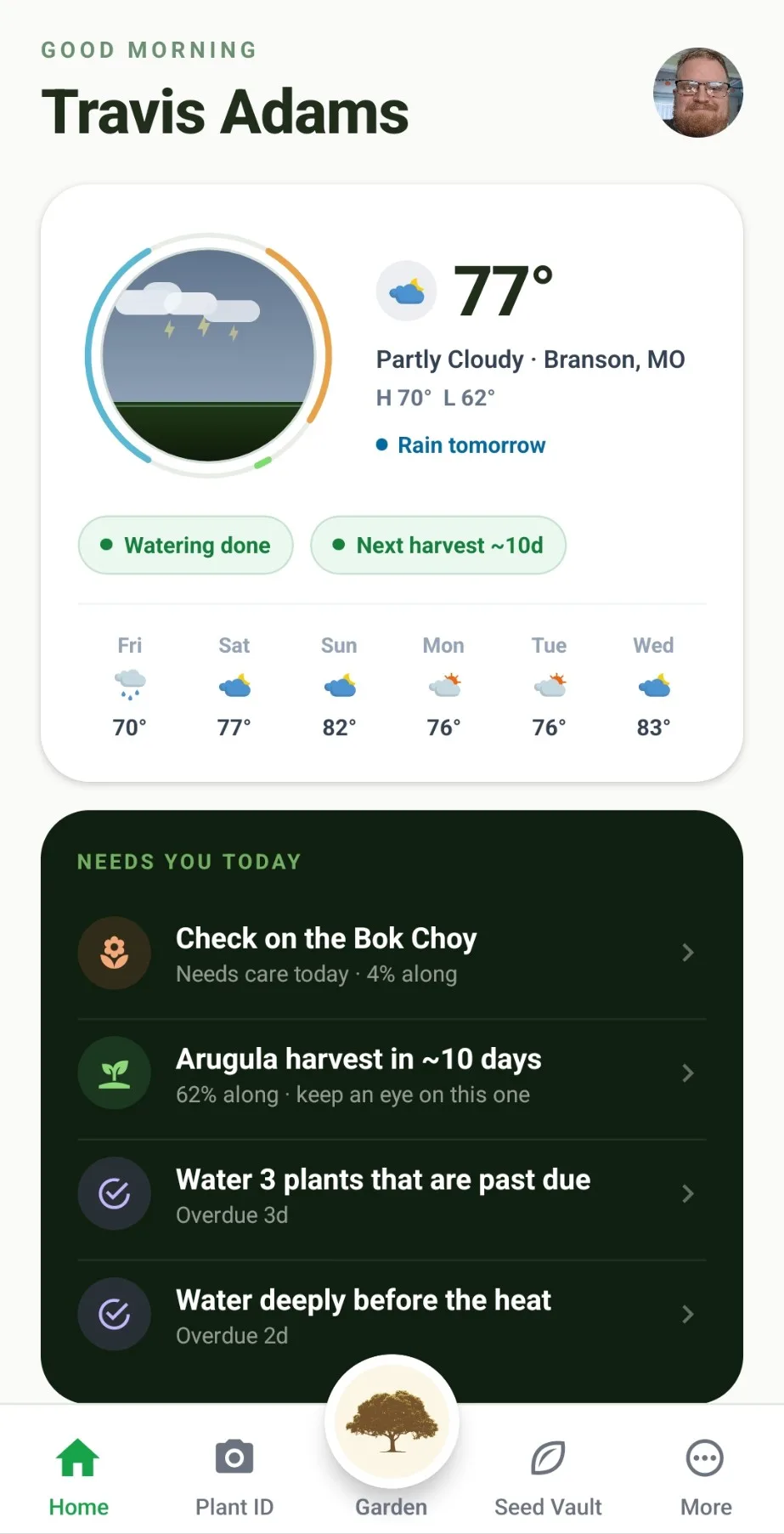
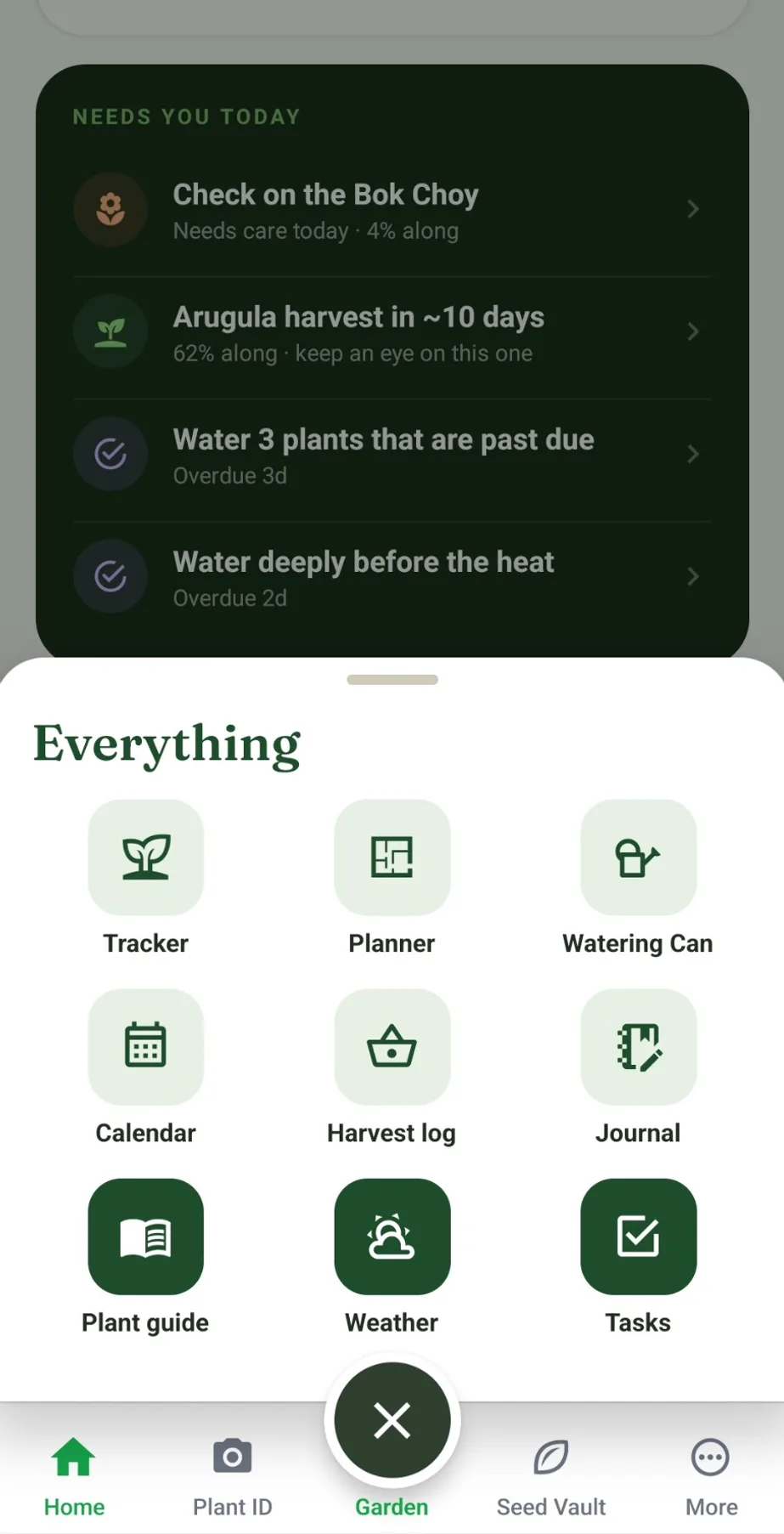
What needs you today
The app opens on your local forecast and a short list of what needs doing: plants to check on, beds to water, and crops getting close to harvest.
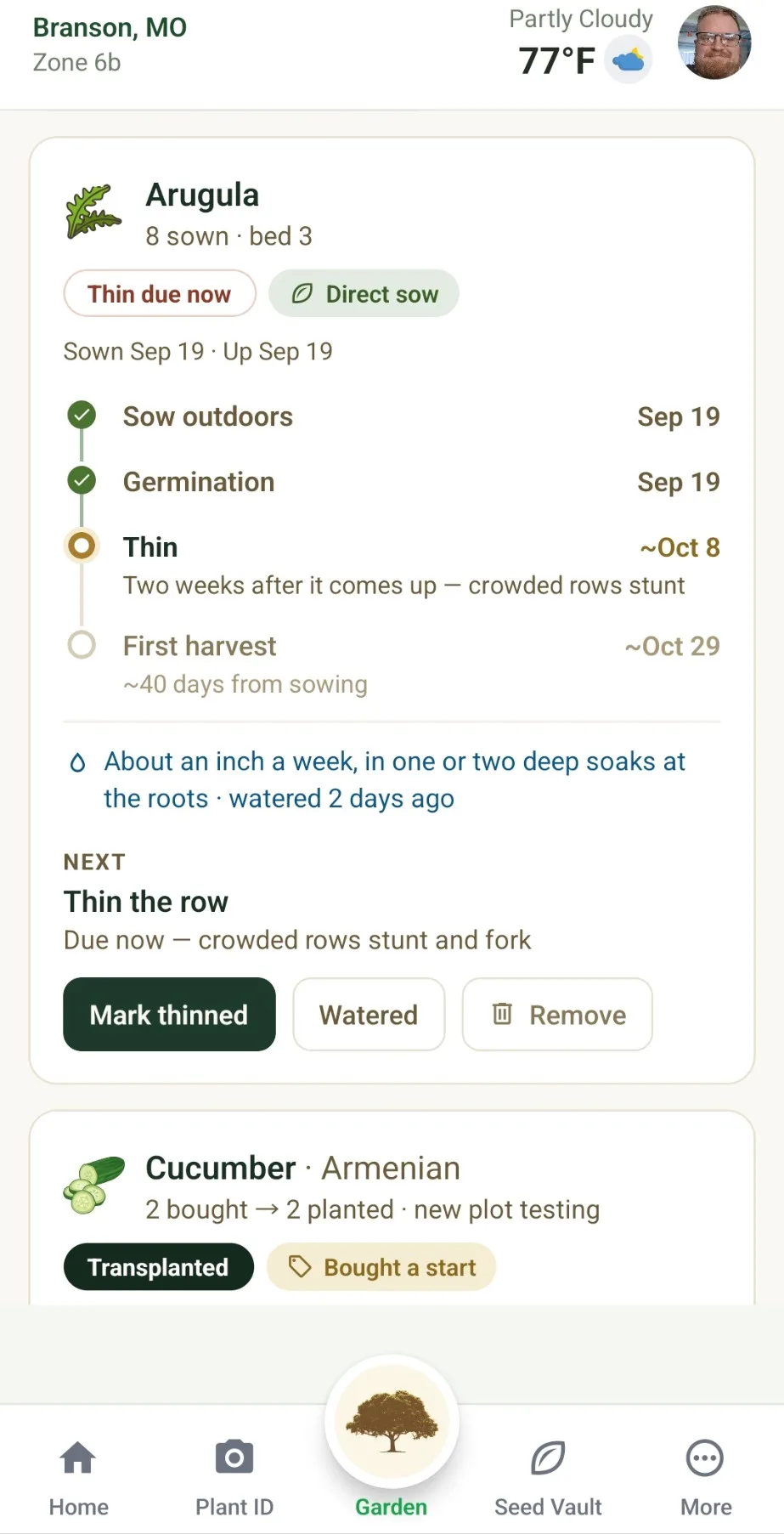
A clock for every planting
Sown direct, started indoors or bought as a start, each planting gets its own timeline, with milestones like thinning, transplanting and an estimated first harvest.
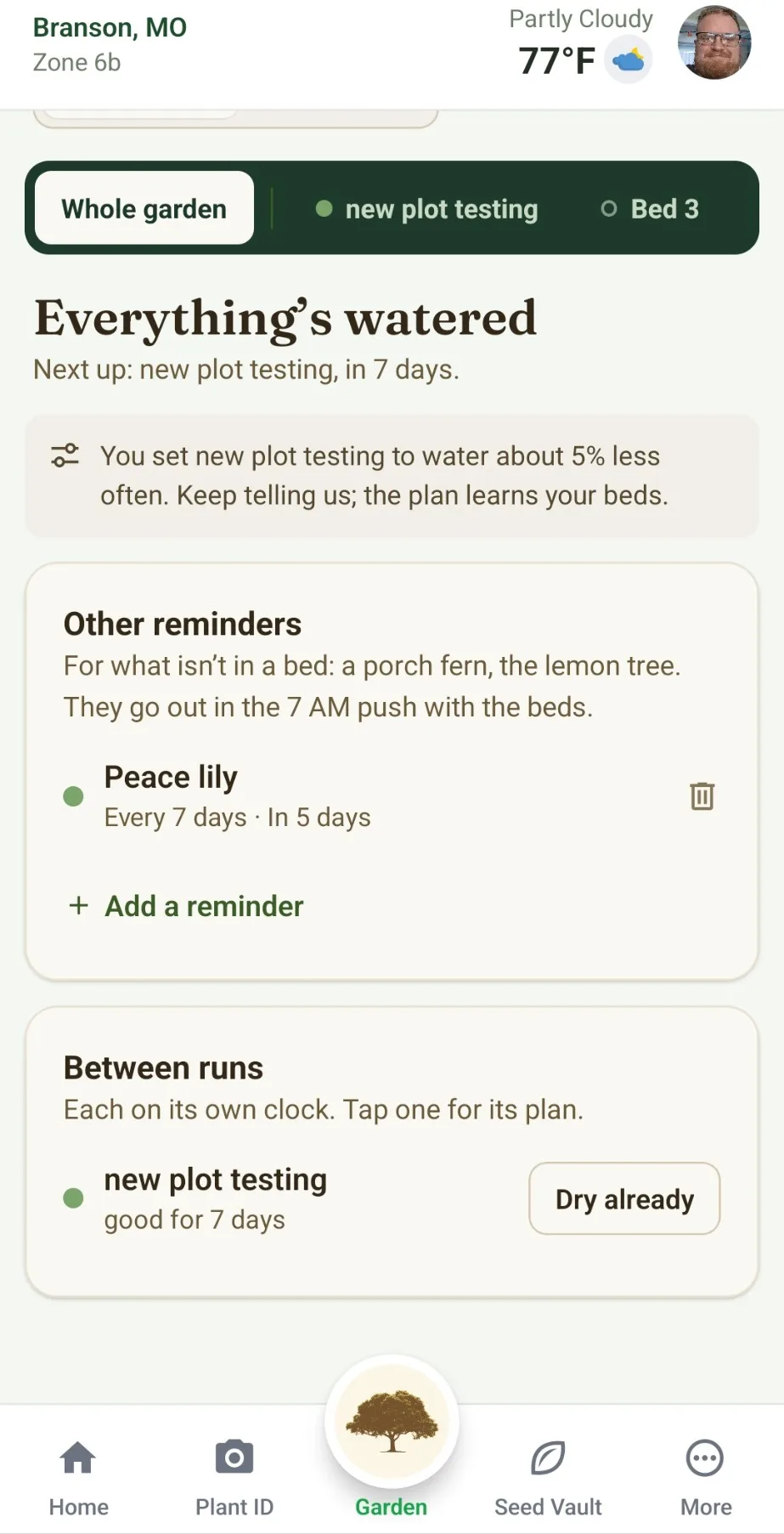
Watering that learns your beds
Each bed waters on its own schedule, with a nudge to hold off when rain is coming. Tell it a bed is dry already and it adjusts. Plants outside a bed, like a porch fern, get reminders too.
Frost alerts for what you grow
Frost alerts scaled to each plant’s hardiness, and a planting calendar built on the frost dates for your ZIP code.
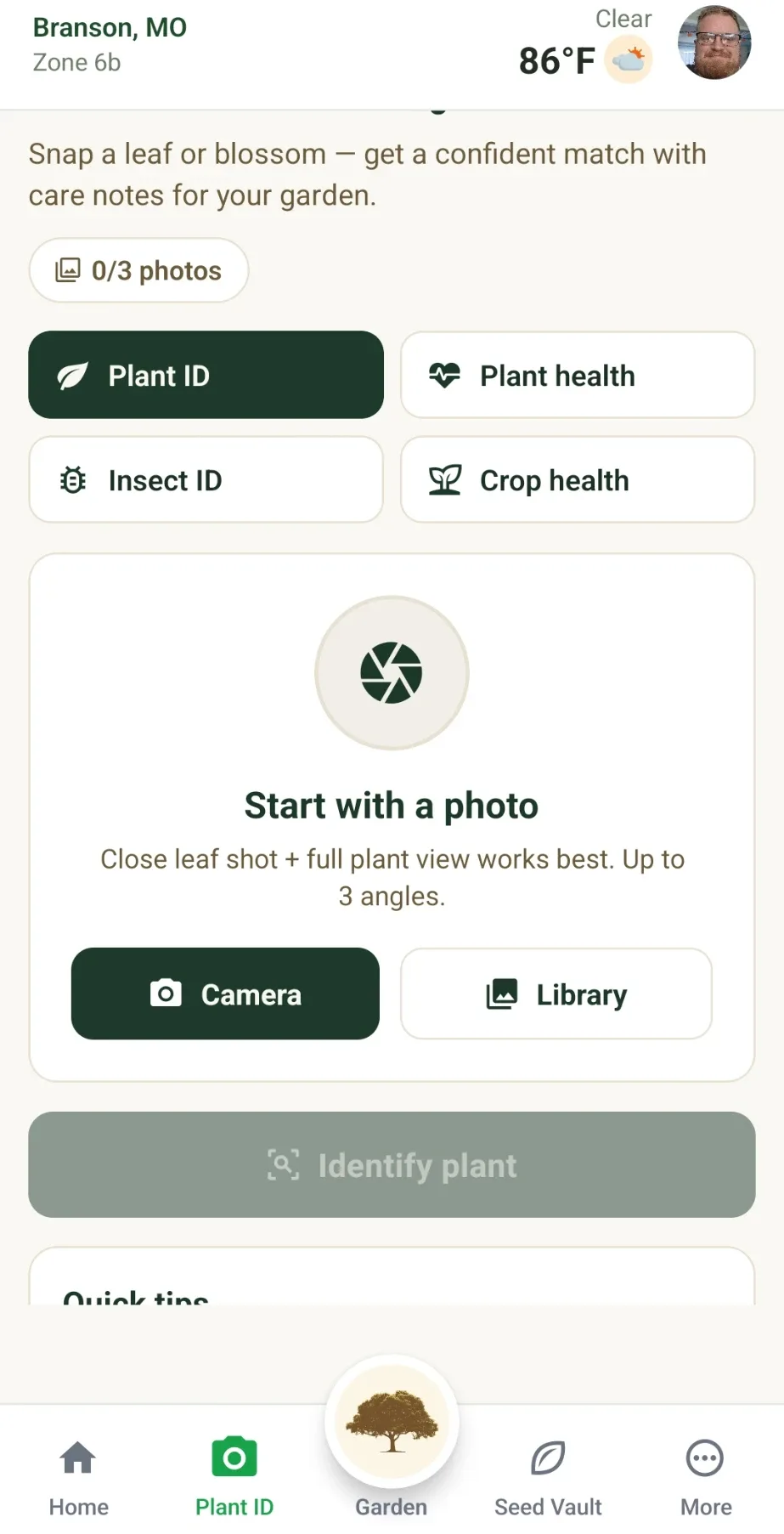
Plant ID and seed packet scans
Photograph a leaf or blossom to identify a plant, check its health or name an insect, or snap a seed packet to file it in your vault. Each scan uses one credit from your plan, and a scan that fails costs nothing.
Seed vault, harvest log and journal
Keep every seed packet in one place, log what you pick, and write garden notes that sync to your account.
One Garden, Web and Phone
Plan at a desk or in the bed
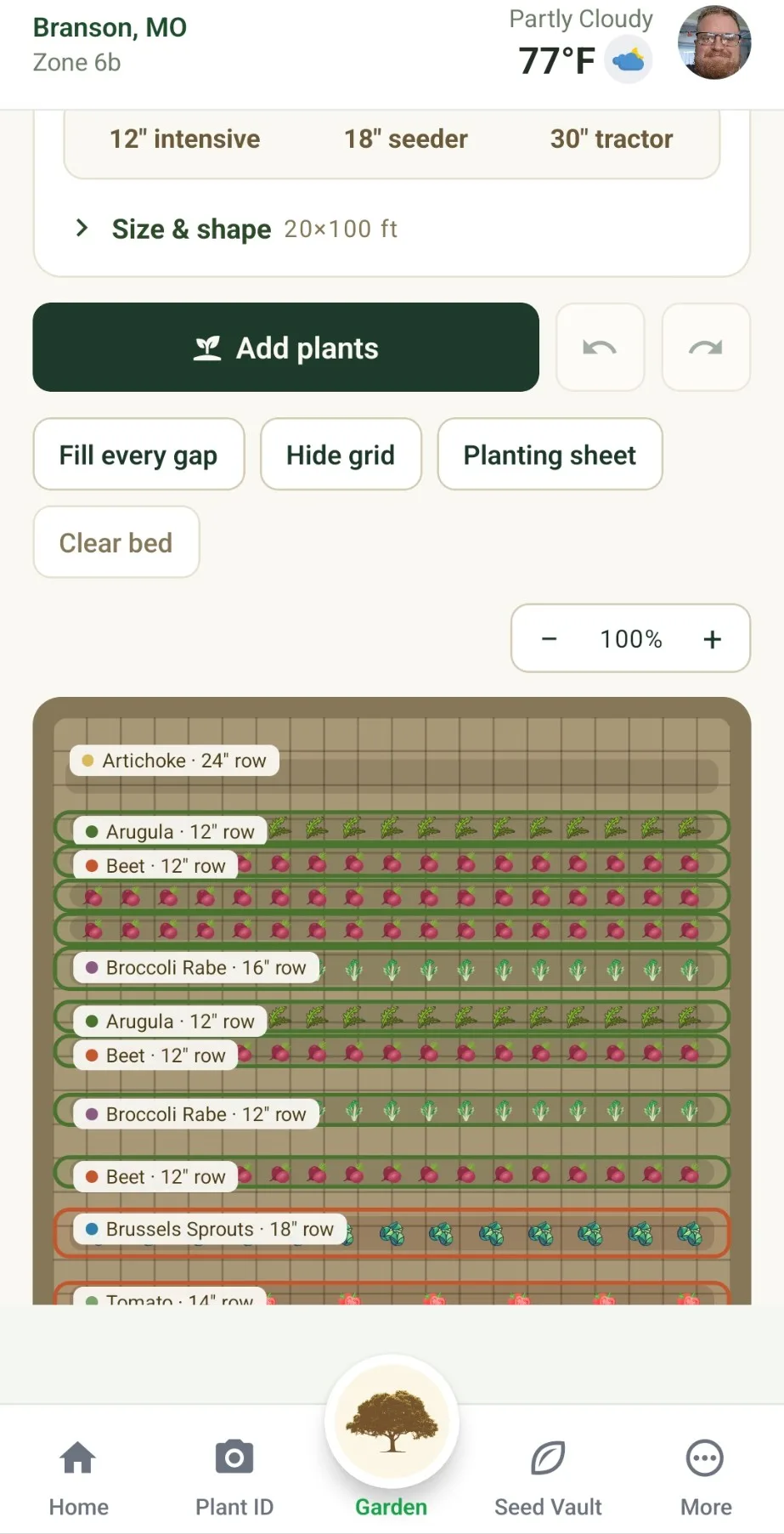
Lay out your beds in the website’s planner, or right in the app.
It all syncs
Your plans, plantings, watering and notes follow your account between the website and the app.
Work the garden from your phone
Water, thin, scan and log the harvest as you go. The app keeps the dates.
Take Your Garden With You
Adams Eden for iPhone and Android.